
The console
one surface at a time.
SLUICE's admin is the app itself. The first four surfaces are a round, in order: Projects, Snapshot, Exclusions, Rounds. The last three are the equipment around it: Exports, Vocabulary, Settings.
01First run
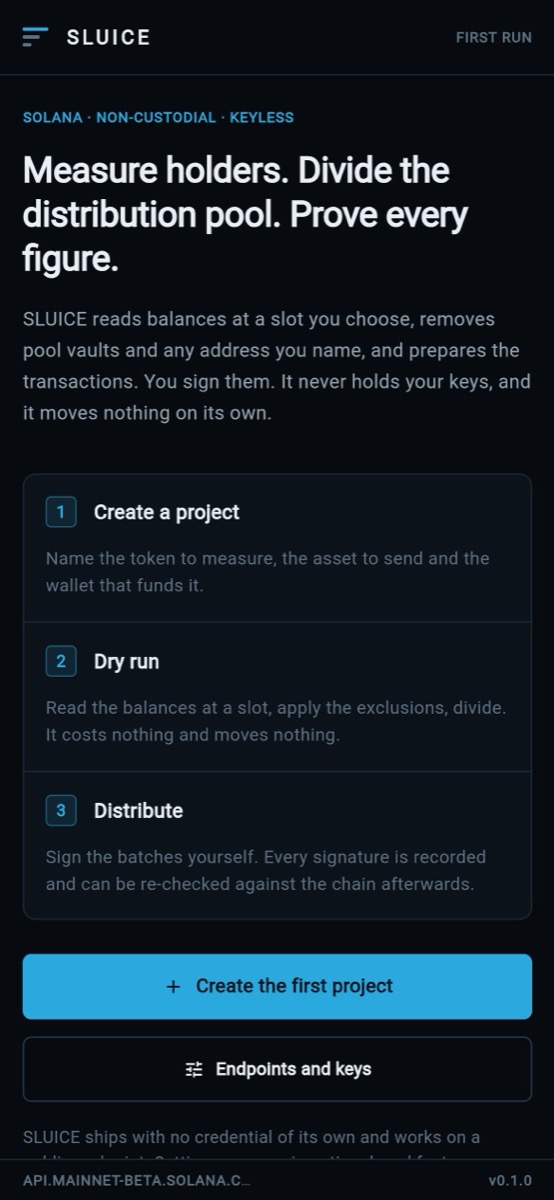
Until a project exists, SLUICE shows one screen with one thing to do: Create the first project, or Endpoints and keys to set up Settings first. It states no figure, because nothing has been measured yet.
02Projects
The token measured, the asset sent and the wallet that funds it. New project opens the form; every field is described in Configuration → Project settings. The form refuses addresses that are not Solana addresses and says which field is wrong. Delete this project asks first.
03Snapshot and dry run
Who held what, and what each is owed this round. Enter the amount the project funds and press Dry run. SLUICE reads the holders at the current slot, applies the exclusions, computes the plan and prices both routes. Nothing moves.
- Choose the route: Direct transfers reaches every holder whether or not they act. Merkle claim moves nothing until a holder claims and needs your claim program. SLUICE recommends one when it can price both.
- The run panel shows the pool, Your fee (with share + flat), what is divided, recipients, the route, the estimated network fee, transactions to sign and the plan hash.
- The holder table shows each holder, their snapshot balance, weight and allocation.
- The action button uses your preset's verb (for example Distribute). It opens Commit this round, which records the round as prepared and hands you the unsigned instructions.
The engine can compute a time-weighted balance from samples taken during a window (SnapshotService.captureTimeWeighted), but the console's dry run captures at the current slot only. In 0.1.0 there is no console control for a time-weighted round.
04Exclusions
Who is not a holder, and the evidence for it.
- What the last snapshot removed: every excluded address with the reason and evidence.
- Detection: Exclude program-controlled authorities (on; turning it off asks you to confirm), Look for exchange omnibus wallets, Apply a probable omnibus flag automatically, and Verify the registry on chain.
- Your list: address, note and reason (Treasury, Team wallet, Burn address, Exchange wallet, Other), then Add to the list.
Export the exclusion list before you fund anything (Exports → Exclusions · CSV).
05Rounds
Named by your preset (for example Distributions). Every round that has been committed, and what settled on-chain.
- Totals: still unclaimed, rounds with a confirmed signature, next round due (for scheduled projects).
- Per round: prepared amount, operator fee, snapshot hash, plan hash and, for Merkle rounds, the root.
- Attach a signature: paste a Signature, pick the Batch it paid, state the amount moved, then Attach and confirm. SLUICE checks it on-chain before it counts it.
- Ask the chain re-checks batches still waiting for an answer.
- Copy the unpaid batches copies the batches not yet paid as JSON. Everyone a finalized batch already paid is left out, so a resumed round never pays twice.
- Failed transfers and the Audit trail: every round is reproducible from its snapshot hash.
06Exports
| Export | What it is for |
|---|---|
| Allocations · CSV | Who gets what, for a spreadsheet or the project |
| Exclusions · CSV / JSON | Who was removed and why, with evidence |
| Proof bundle · JSON | Root, proofs and the leaf encoding. The durable record of a round. |
| Settlement report · JSON | What settled on-chain, with signatures and your fee |
JSON keys never change with the vocabulary preset; in CSV only the holder and allocation headers use your words.
07Vocabulary
Pick a preset and see a Preview of the words across the console and the claim page. Custom preset: fill only the words you want to change, then Save custom preset; blanks fall back to the default. No figure changes (details).
08Settings
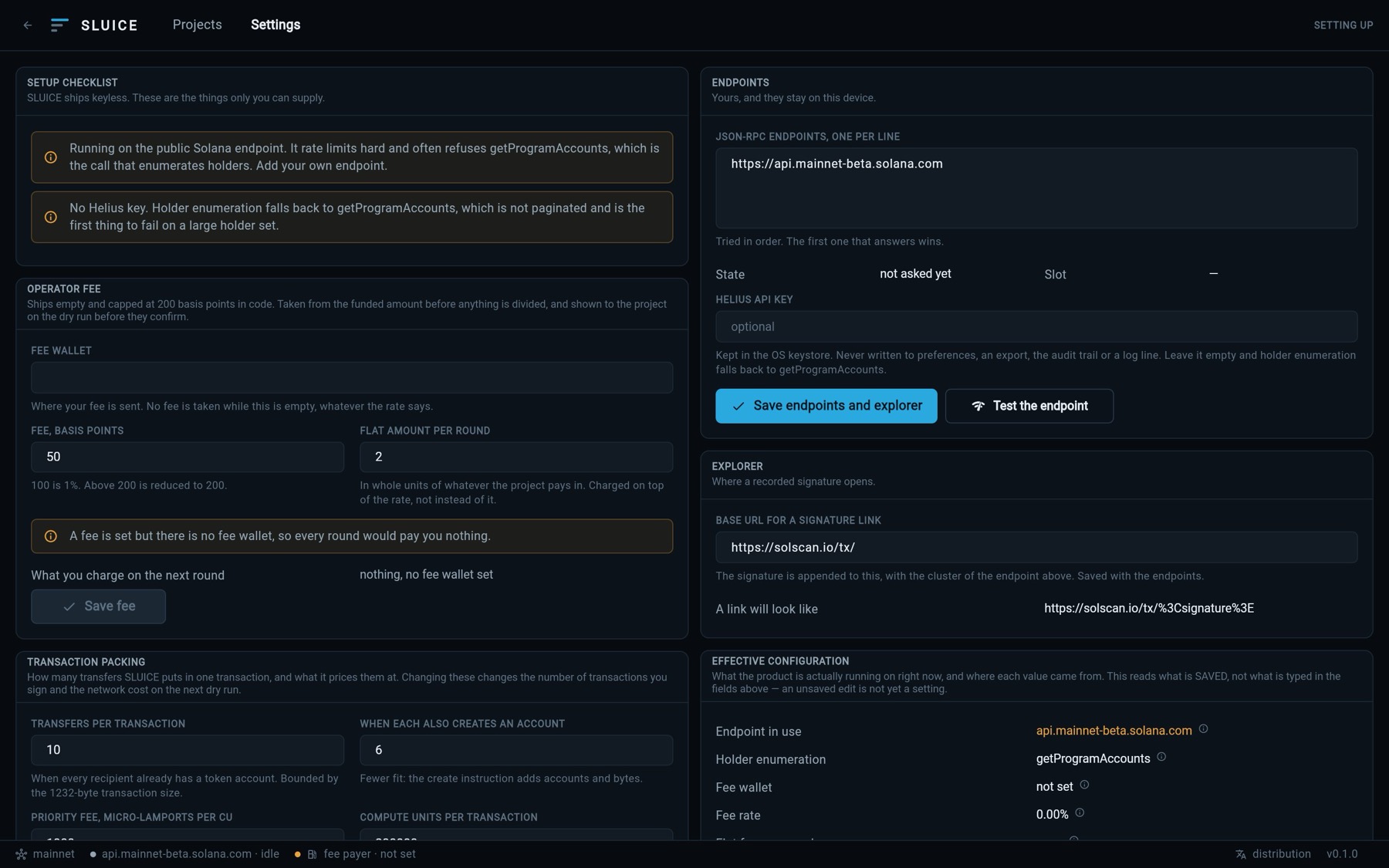
Setup checklist, Endpoints (with Test the endpoint), Operator fee, Explorer, Transaction packing, Effective configuration and What SLUICE will not do. Every setting is in Configuration; the fee is on Your fee.
09The claim page
The icon Open the page a holder sees in the console header opens the holder's view: look up an address, see the allocation, the published root and the deadline, copy the proof, and check a proof against the root. It has no control that signs anything.
In 0.1.0 the claim page is part of the console and reads the rounds stored on the device it runs on. A web build you host does not carry your rounds to holders' browsers. To give holders their proofs, publish the Proof bundle export, or build your own page on it. A separate claim-page entry point is listed as not built in CHANGELOG.md.